
Know-How · 8 min read
Mangold INTERACT vs Observation Studio vs VideoSyncPro
Compare Mangold INTERACT, Observation Studio, and VideoSyncPro: what each tool does, when to use it, and how all three work together in your lab.
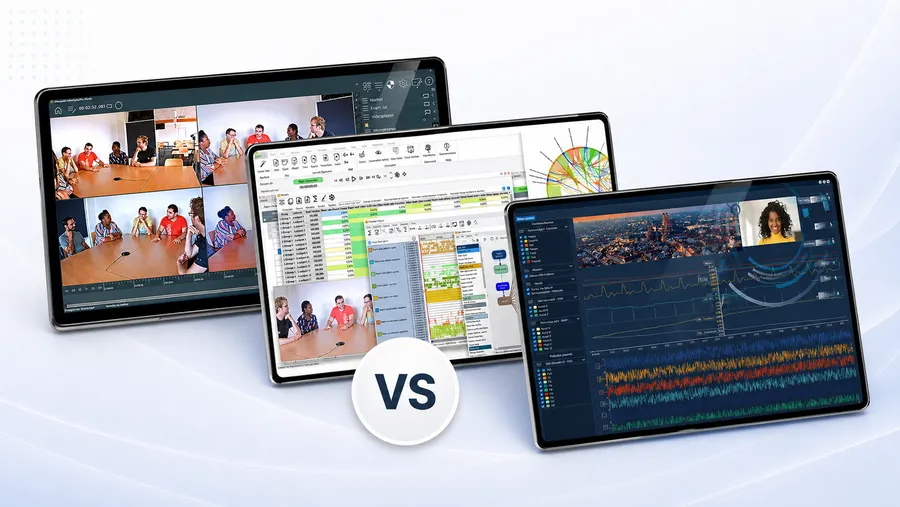
In conversations with researchers, lab managers, and simulation directors, one phrase keeps coming up: “the Mangold system.” Almost no one means a single product when they say it — they mean an entire ecosystem. Anyone making a real purchasing decision or expanding an existing setup needs to keep the three core building blocks straight: INTERACT, Observation Studio, and VideoSyncPro.
This post explains exactly what each of the three solutions does, where each one delivers the most value, and where their capabilities deliberately overlap.
Quick overview: three products, three clearly separated jobs
| Product | Core function | Typical setting |
|---|---|---|
| INTERACT | Scientific content analysis of audio and video recordings: coding, transcription, statistical analysis | Researcher’s desk, post-recording analysis phase |
| Observation Studio | Multimodal, time-synchronized data capture at single-user workstations with sensors (eye tracking, EEG, GSR, ECG, AI emotions, 120+ devices via LSL) | Usability testing, cognitive studies, single participant at a computer |
| VideoSyncPro | Synchronized multi-camera and multi-channel recording with markers, PTZ control, and live observation | Observation labs, simulation centers, interview and therapy rooms |
That’s the short version. In practice, the three products often run side by side on complex projects — which is why “the Mangold system” is really a flexible toolkit, not a single platform.
Mangold INTERACT — software for scientific content analysis
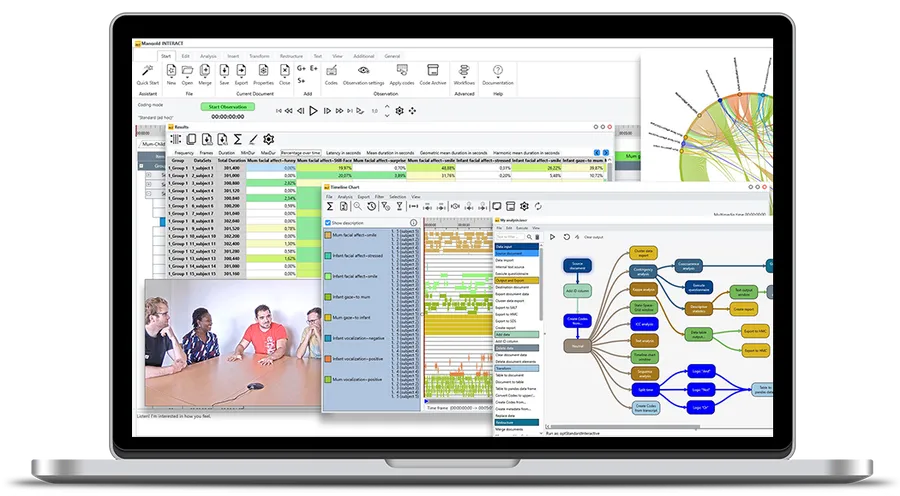
Mangold INTERACT is the software for qualitative and quantitative analysis of behavior captured on audio and video. INTERACT has been continuously developed for research for over 35 years and is internationally recognized as one of the most versatile solutions in its field — more than 80% of the world’s top 100 universities use it.
What INTERACT actually does
- Custom coding systems of any size and hierarchical depth
- Synchronized multi-video playback for any number of parallel audio/video files
- Sampling methods including event, time, ad libitum, scan, and one-zero sampling — fully combinable
- GDPR-compliant AI transcription based on Whisper, running locally, with speaker identification
- Deep analytics: descriptive statistics, lag sequence analysis, contingency analysis, state space grids, sequence and pattern search
- Interrater reliability with Cohen’s kappa and comparable measures
- Workflow editor and Python integration for reproducible, automated analysis
- Native cross-platform support for Windows and macOS
When INTERACT is the right choice
INTERACT does its work after the recording is done. It picks up wherever audio or video material already exists — no matter the source: smartphone, body cam, OR recording, multi-camera setup, or a basic webcam. Typical fields include developmental psychology, ethology, clinical research, classroom research, human factors, and UX research.
INTERACT is not a recording system. It’s the analytical scalpel for everything that comes after the recording.
Mangold Observation Studio — the platform for multimodal research
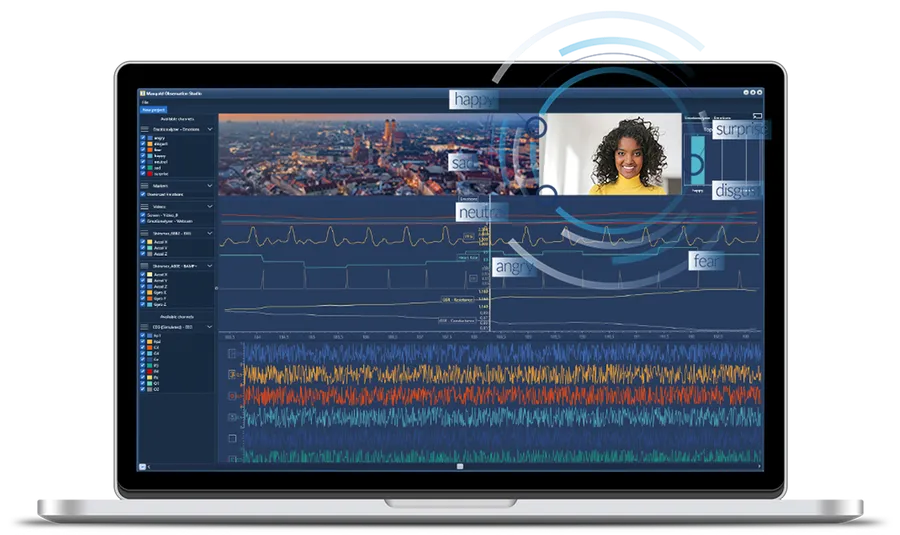
Mangold Observation Studio answers a different question: How do I capture every relevant data stream from a single participant at one workstation — synchronized, clean, and ready to export?
Observation Studio combines a central recording station (Observer Station) with any number of participant stations on the network. The open Lab Streaming Layer (LSL) protocol lets you connect more than 120 scientific sensors and devices in time sync.
What Observation Studio actually does
- Webcam, screen, keyboard, and mouse capture at every participant station
- Biosignals: GSR, EMG, ECG, IBI/HRV, BrainProducts EEG, fNIRS, and more
- Eye tracking with devices from Tobii, Pupil Labs, SR Research, EyeLogic, Smart Eye, HTC Vive Eye, and many others
- GDPR-compliant AI emotion analysis in real time, processed entirely on-device
- Stimulus presentation system for images, videos, software applications, and questionnaires
- Marker system with annotations and smart navigation between events
- Workflow manager for repeatable analysis, reporting, and export routines
- API and SDK for integration with external tools and pipelines
When Observation Studio is the right choice
Observation Studio is the right platform when a single participant — or several participants in parallel at separate computers — needs to be observed multimodally: usability testing, marketing and consumer research, human-machine interaction, neuroscience, rehabilitation, sports science, and gaming research. Anywhere the response to on-screen stimuli has to correlate simultaneously with body signals, gaze, and facial expression.
Observation Studio is not a traditional multi-camera studio for rooms, group work, or simulation scenarios.
Mangold VideoSyncPro — the recording engine of every professional lab
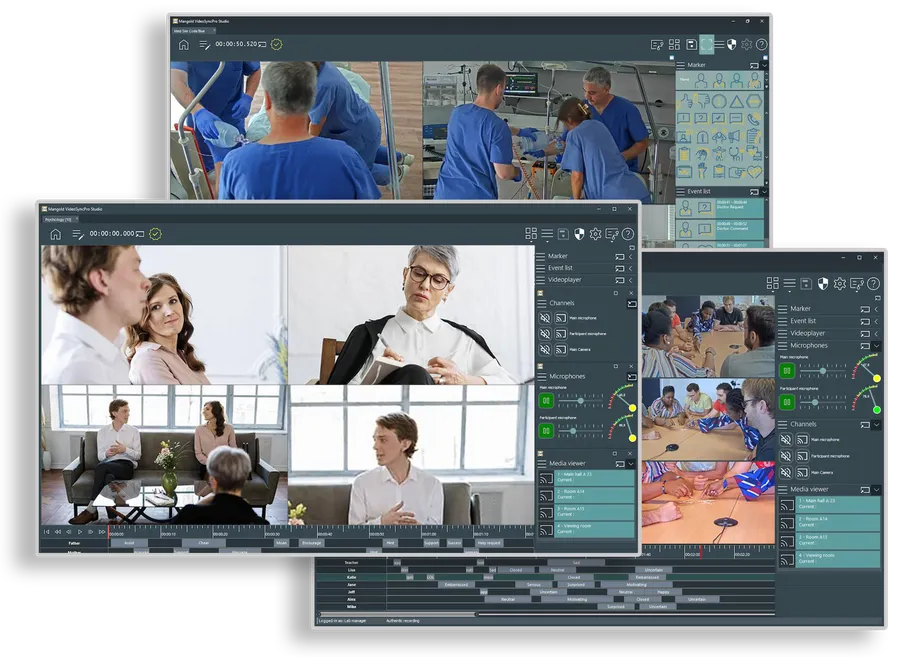
Mangold VideoSyncPro is the recording software Mangold International built for professional, synchronized capture of many audio and video streams. VideoSyncPro is compatible with more than 300 AV devices and is the core component of every Mangold observation, interview, and simulation lab worldwide.
What VideoSyncPro actually does
- Synchronized multi-camera recording from the very first frame
- Professional audio management: boundary microphones, individual mic channels per person, Dante compatibility
- PTZ camera control with stored presets
- Advanced marker system with timestamped, multi-level events, free-form comments, and subject-specific notes
- GDPR-compliant AI transcription with SRT, VTT, and CSV export
- Live observation rooms powered by Mangold Remote Observer, with push-to-talk and secure network access
- Stimulus presentation and structured observer checklists with QR-code access
- Multi-angle playback, event navigation, and custom reports
- Security features: granular permissions, secure multi-pass deletion, and compliance tools for legally sensitive recordings
When VideoSyncPro is the right choice
VideoSyncPro is built for any setting where multiple rooms, multiple cameras, and multiple participants need to be recorded synchronously and at high quality — while observers watch live, mark events, and run debriefings in parallel. That includes:
- Academic observation labs for behavioral and group research
- Simulation centers in medicine, nursing, EMS, fire, police, military, and aviation
- Interview rooms and courtrooms with legally admissible audio/video recording
- Therapy rooms with session documentation for supervision and research
VideoSyncPro is the recording foundation — not the analysis tool.
Where the three products diverge — and where they meet
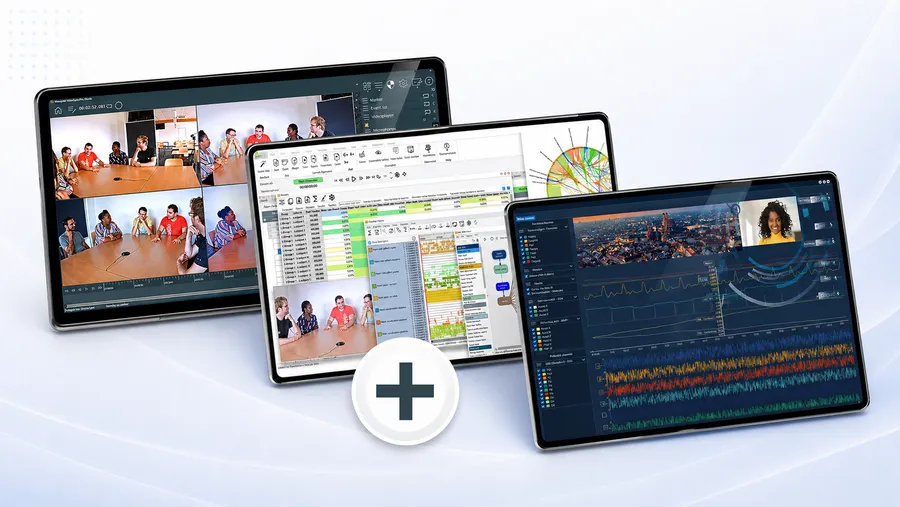
The clean separation breaks down along three axes: where the work happens, what gets captured, and when in the research process the tool steps in.
Axis 1 — Setting and setup
- INTERACT: at a desk, single researcher or team, during analysis. Platform: Windows or macOS.
- Observation Studio: one or more single-user workstations, screen-centered, with sensors on the participant.
- VideoSyncPro: an entire room or room complex with permanently installed cameras, microphones, and observation areas.
Axis 2 — Data types
- INTERACT: existing audio/video material plus optionally imported sensor data for synchronized visualization and analysis in the DataView add-on.
- Observation Studio: live capture of webcam, screen, input devices, biosignals, eye tracking, and AI emotions over LSL — plus multimodal analysis.
- VideoSyncPro: live capture of professional multi-camera and multi-channel audio streams, plus markers.
Axis 3 — Phase in the research or training process
- INTERACT = analysis and scientific evaluation
- Observation Studio = multimodal capture at the workstation and analysis of multimodal data
- VideoSyncPro = professional AV recording in complex environments
Where the functions overlap
On complex projects, the lines blur on purpose, because research questions rarely live on just one axis:
- VideoSyncPro provides the material — INTERACT analyzes it. Recordings from VideoSyncPro import directly into INTERACT and can be evaluated with every method INTERACT offers. Raw AV material turns into reproducible science.
- Observation Studio produces multimodal data sets. Everything Observation Studio captures can also be analyzed inside Observation Studio. For specific use cases — particularly research that combines qualitative and quantitative data deeply — it makes sense to push that data further into INTERACT.
- VideoSyncPro and Observation Studio complement each other when a lab runs both rooms with multi-camera setups and single-user workstations with sensors. Both worlds produce cleanly structured recordings that, when the project calls for it, can be brought together in INTERACT.
- Marker systems exist separately in Observation Studio and VideoSyncPro because the recording situations are different — but in both cases the underlying logic (timestamped, exportable events) is built so the markers can flow into INTERACT as a foundation for deeper content analysis and coding.
The decision in one sentence
- If you need to scientifically analyze finished recordings, you need INTERACT.
- If you need to capture multimodal data at a workstation with sensors and stimuli in sync, you need Observation Studio.
- If you need to synchronously record multiple cameras and microphones in rooms, labs, or simulation centers — and watch live while it happens — you need VideoSyncPro.
If you need more than one of these at the same time, you usually need a coordinated combination — which is exactly why customers casually call it “the Mangold system.”
What “the Mangold system” actually is
“The Mangold system” isn’t a single product. It’s a modular ecosystem for professional audio and video work in research, education, and legally compliant recording. The typical architecture of a complete Mangold observation lab or video debriefing system for simulation training looks like this:
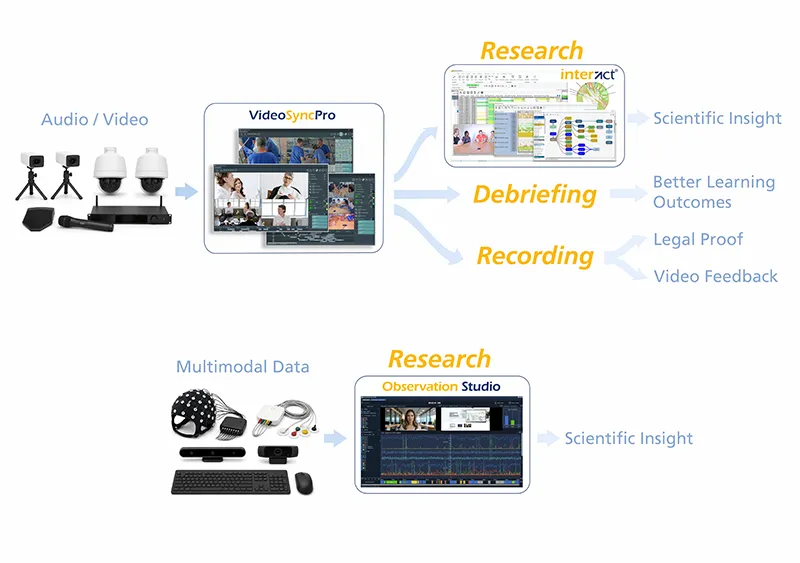
- VideoSyncPro as the recording core for synchronized multi-camera/audio capture and live debriefing.
- INTERACT as the scientific evaluation tool where every data stream comes together — coded, statistically prepared, and reproducibly documented.
- Observation Studio as a complementary platform for multimodal sensors at single-user workstations, whenever the research design calls for biosignals, eye tracking, or AI emotion analysis.
These three components are designed to stand alone — but together, they cover every step from the first frame to publication-ready statistics.
Next step
Which Mangold product — or which combination — actually fits your research, lab, or simulation project comes down to which data streams you capture, the environment you work in, and how deeply you analyze. Our experts use that as the basis for a concrete, technically grounded recommendation, including a demo of the relevant products and a tailored system architecture.
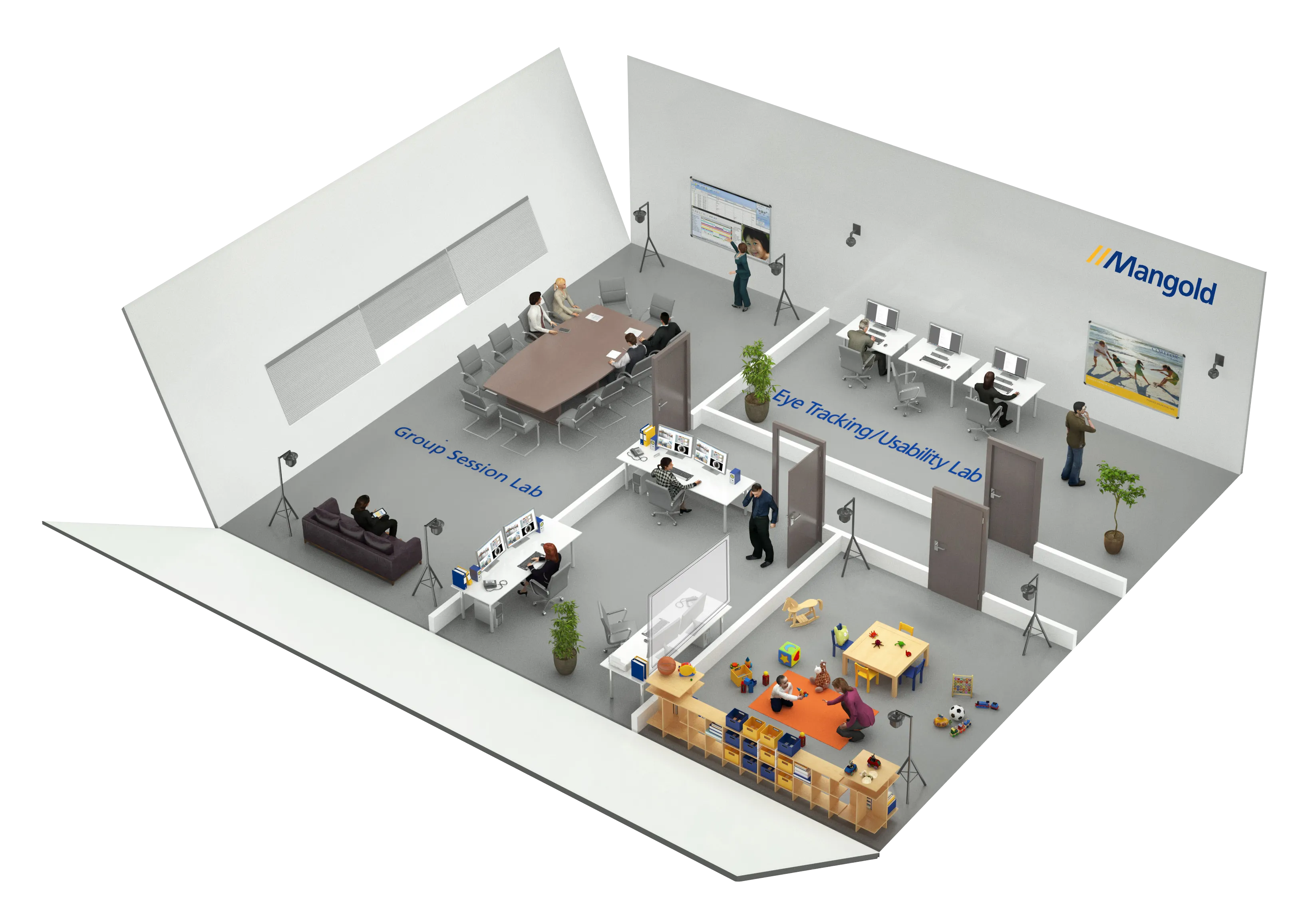
Mangold AV Observation Labs
Mangold AV Observation Labs are comprehensive turnkey solution for conducting behavioral research and observation.