

Product · 3 min read
Mangold Highlight Movie Creator: Effortless Video Compilation for Training & Research
Automatically compile highlight reels from behavioral observations using Mangold Highlight Movie Creator - supports multi-source video, event markers, subtitles, and professional transitions for research and training.
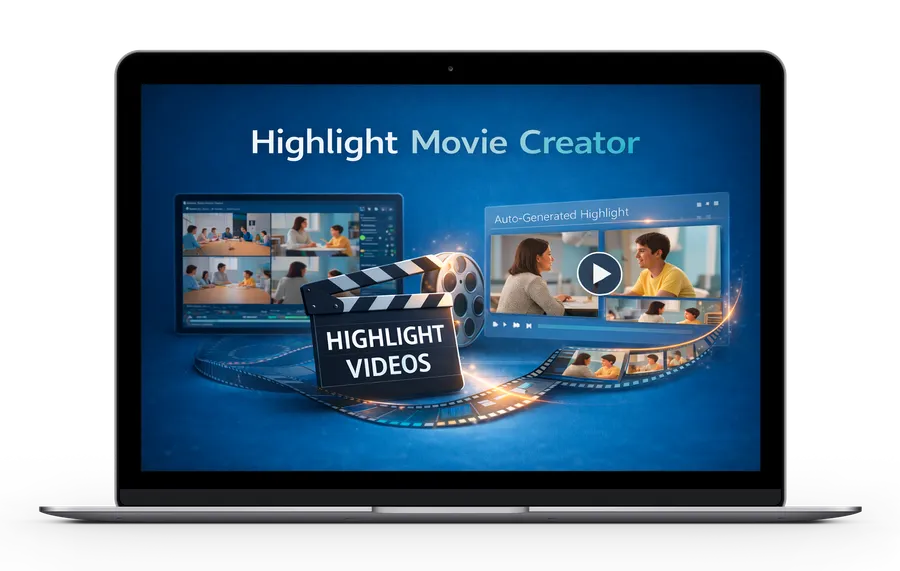
Effortlessly Create Video Compilations Based on Observations
The Mangold Highlight Movie Creator is a specialized add-on that streamlines how researchers and professionals create compilation videos from their recorded sessions. Thanks to its seamless integration with Mangold INTERACT and Mangold VideoSyncPro, it generates highlight reels from selected marker events or behavioral observations.
Key Features and Capabilities
Seamless Integration with the Mangold Software Suite
- Works in perfect harmony with Mangold INTERACT and Mangold VideoSyncPro
- Utilizes event markers and coded segments for precise video extraction
- Maintains original video integrity while creating new compilation files
Advanced Multi-Source Support
- Combine up to four synchronized video sources in a single frame
- Create split-screen compilations for comprehensive analysis
- Maintain perfect synchronization across all video sources
Professional Output Options
- Generate a single compilation video from multiple sources and all selected events
- Extract and combine selected events per source
- Combine sources per Event in a single video per event
- Create individual clips for each selected event per source
- Add professional transitions including:
- Hard cuts to create a custom pause between sequences
- Smooth fade-ins/fade-outs
- Seamless transitions between segments
Enhanced Customization
- Add context with subtitles for displaying observation codes, markers, transcriptions, or comments per sequence
- Include custom watermarks for branding
- Manage audio sources to prevent overlapping
- In Mangold VideoSyncPro, adjust pre-roll and post-roll durations for better context
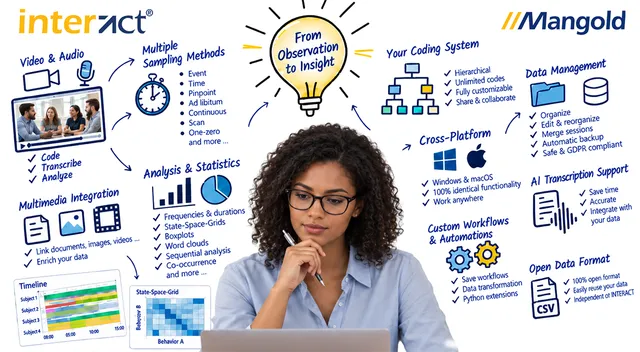
Mangold INTERACT: One Software for Your Entire Observational Research Workflow
From audio/video-based content-coding and transcription to analysis - Mangold INTERACT has you covered.

Perfect for Multiple Use Cases
Research and Analysis
- Extract key behavioral observations from extensive video datasets
- Compile significant moments for research presentations
- Create focused clips for detailed analysis
Training and Education
- Generate effective training materials
- Develop feedback videos for skills assessment
- Create educational content from research recordings
Professional Documentation
- Compile highlight reels for client presentations
- Document key findings from usability studies
- Create summary videos for legal documentation
System Requirements
Important Note: The Mangold Highlight Movie Creator is a specialized add-on that requires Mangold INTERACT or Mangold VideoSyncPro to generate a cut list based on the selected Events.
Technical Prerequisites:
- Windows Operating System
- Valid license for Mangold INTERACT or Mangold VideoSyncPro
- Minimum 8GB RAM
- Multi-Core Processor
- SSD storage (recommended)
Getting Started
Extract powerful highlight videos from your recordings in three simple steps:
- Log Events: Use Mangold INTERACT or Mangold VideoSyncPro to mark significant moments
- Select Clips: Choose the events you want to include in your compilation
- Generate Video: Let the Mangold Highlight Movie Creator automatically create your professional highlight reel
Why Choose Mangold Highlight Movie Creator?
- Save Time: Automate the video compilation process
- Maintain Quality: Preserve original video resolution and quality
- Enhance Presentation: Create professional-looking highlight reels
- Streamline Workflow: Batch process multiple sessions in one pass
- Ensure Accuracy: Precise timing based on your event markers
Tell us about your project
We'd love to hear about your project and how Mangold Highlight Movie Creator can elevate your workflow
Turn hours of research footage into minutes of meaningful insights with the Mangold Highlight Movie Creator. The Mangold Highlight Movie Creator seamlessly integrates with Mangold INTERACT, our advanced behavioral analysis software, and Mangold VideoSyncPro for multi-source video lab recordings, making it the professional choice for compiling research and training videos.
FAQ - Frequently Asked Questions
What is the Mangold Highlight Movie Creator?
Can the Mangold Highlight Movie Creator combine multiple video sources in one compilation?
Does the Mangold Highlight Movie Creator work as a standalone product?
What output formats and transitions does the Mangold Highlight Movie Creator support?
How can subtitles or annotations be added to a Mangold Highlight Movie Creator compilation?
What are the main research use cases for the Mangold Highlight Movie Creator?
Mangold INTERACT: One Software for Your Entire Observational Research Workflow
From audio/video-based content-coding and transcription to analysis - Mangold INTERACT has you covered.